What stands out in ghostwriter
A how-to can sound perfectly sensible one paragraph at a time and still leave the reader stranded halfway through. ghostwriter gives you two views of the same draft. Its outline exposes the route through the headings, and its HTML preview shows where lists and paragraphs actually land. Together they make a practical editing desk for someone preparing help text for a club website or a neighborhood mailing list.
Walkthrough
- Draft an instruction sheet for returning borrowed equipment. Start with one top-level title. Add three second-level headings using two hash signs and a space. Name each heading for an action the borrower can recognize, such as “Find the return slot.” Write the first sentence under each heading before filling in details.
- Open the outline in the sidebar. Read its entries without reading the paragraphs. Imagine arriving after hours with an item too large for the slot. If you cannot tell which section would help, add or rename a heading. Jump to that section from the outline and supply the missing decision.
- Switch on the live preview. Inspect any point where a numbered step includes a short explanation or a bullet list. An unintended blank line or indent can separate an instruction from its exception. Edit the Markdown and watch the visual grouping until an unfamiliar reader can see which step the exception qualifies.
- Hide the preview for a final pass in focus mode. Read for verbs, especially “do,” “handle” and “process.” Replace each vague verb with an observable action. Reopen the preview and follow the after-hours route from the title to the last instruction.
Field tip
Use a question as a heading when the reader arrives with that exact question. “What if the slot is full?” is easier to find in the outline than “Additional information.” Give the answer in its first sentence.
Where it falls short
The preview shows ghostwriter’s rendering. A publishing system may interpret Markdown extensions or style nested lists differently. Inspect the destination’s preview before handing the link to borrowers.
Try it yourself
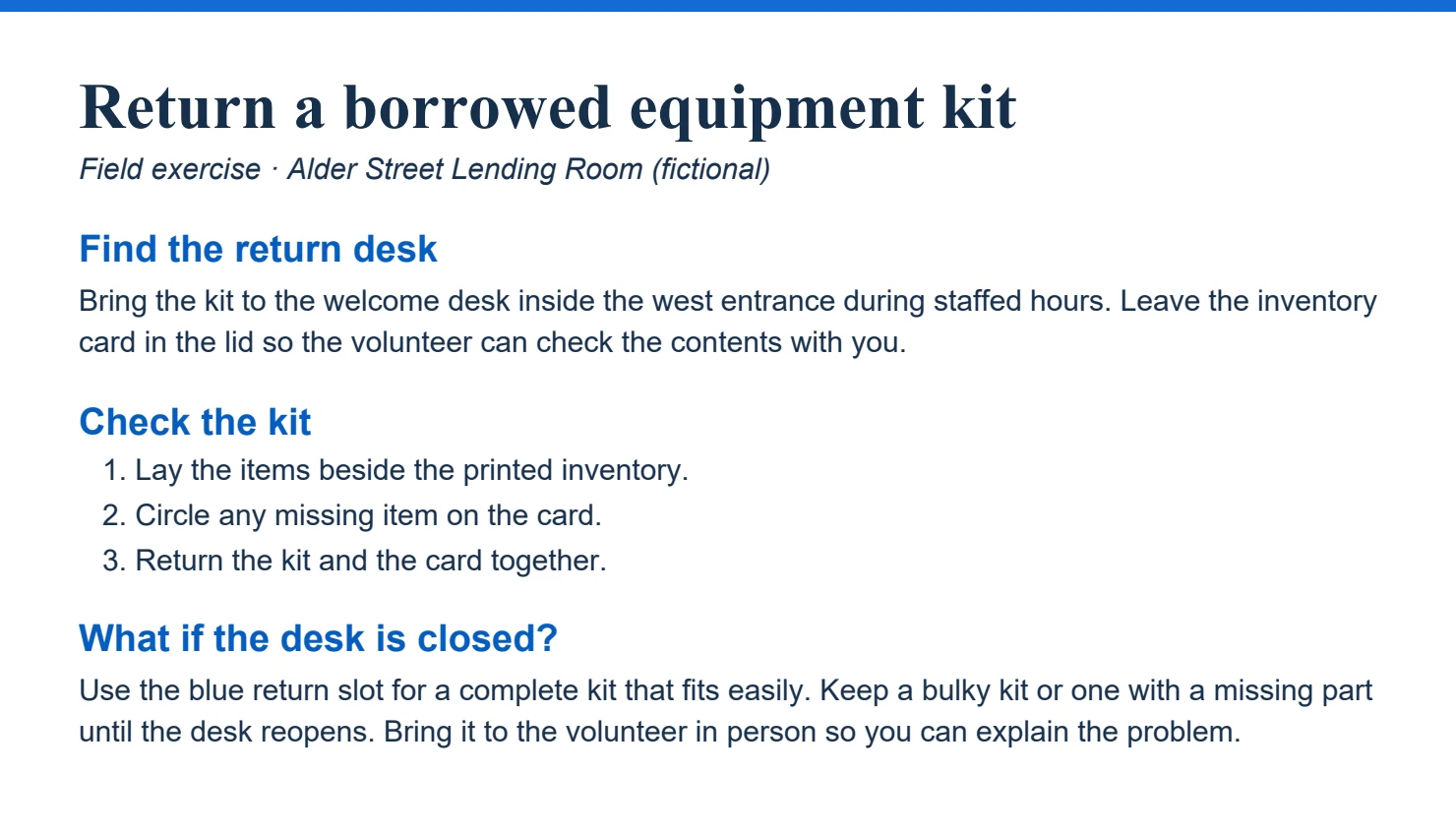
Open the downloadable return-desk sheet in ghostwriter. Read just the outline and choose the heading that would help a borrower standing outside after closing with a bulky kit. Open the preview and check the actual advice. Now rename the last heading to “Exceptions” and repeat the exercise with another reader. Keep the wording that leads them to the right instruction and check that the three numbered steps still belong together.