What stands out in PhotoDemon
PhotoDemon can record a sequence of edits as a macro and run it through its batch processor. That combination earns its place on a Windows desktop when the repeatable part of a job is an editing decision. Consider a stack of faded instruction sheets. Changing the file dimensions is easy. Lifting the gray paper toward white while keeping fine pencil marks visible is the decision worth recording. A macro lets you make that judgment at full size once and inspect its effect across the stack.
Walkthrough
- Split the scans into groups that share a background and exposure. Put a faint page, a typical page, and a dark page in a trial folder. Use copies. If the scanner changed exposure halfway through the stack, treat the later pages as a second job.
- Open the faint page and start recording a macro from the Tools menu. Use Levels to bring the paper closer to white. Watch the palest mark you need to retain as you adjust. If it fades into the page, back away from that setting. Stop recording and give the macro a descriptive name such as cream-paper-light-pencil.
- In the File menu, open the batch processor, choose the three trial files, and apply the saved macro. Write the results into a separate folder. For line work, export a lossless copy before making smaller delivery versions.
- Inspect exactly the same detail in the before and after versions at actual pixels. Also view each whole page, since a page can have crisp lettering and still look uneven around its margins. Move any failing pages out of the batch before processing the remainder.
Field tip
Leave deskewing and cropping out of this first macro. Even a small shift on the scanner bed can turn a crop that fits page one into a clipped page number on page seven. Handle geometrical fixes separately.
Where it falls short
A recorded adjustment repeats its settings. A sheet with handwritten annotations, a yellow stain, or a dark photograph can need a different treatment even when the scanner settings match.
Try it yourself
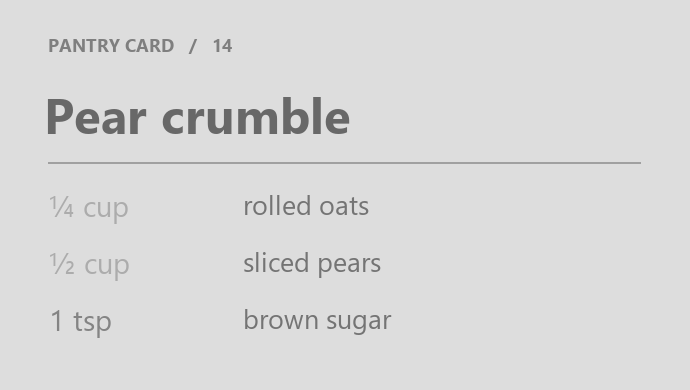
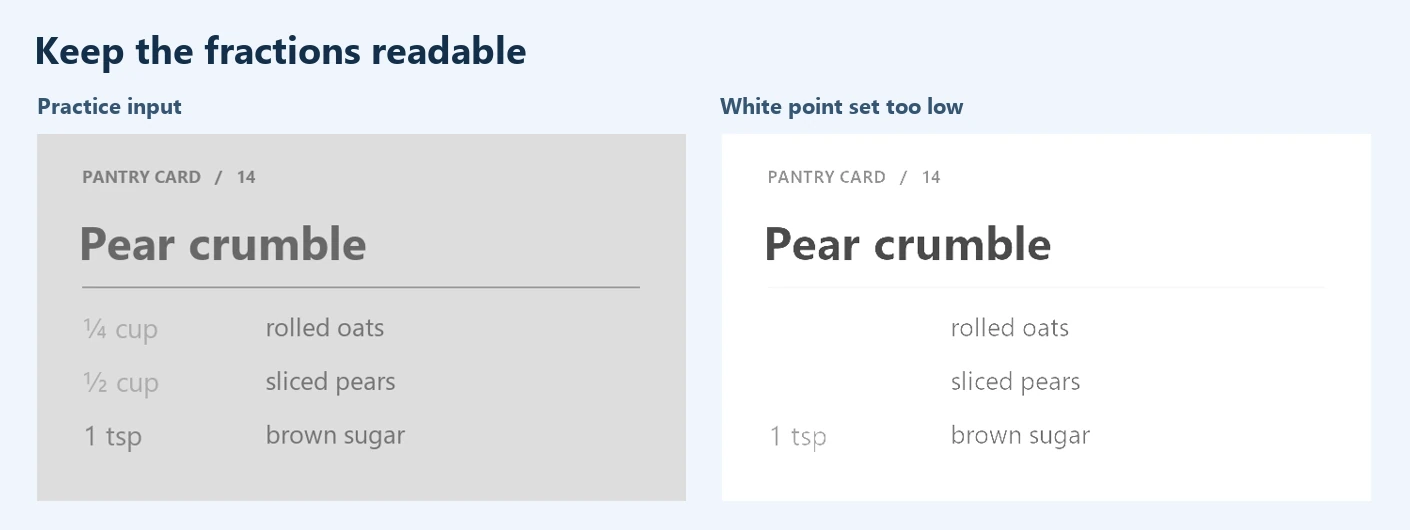
Try the procedure on a recipe card with faint fractions. Your acceptance check is concrete: someone should be able to distinguish ¼ from ½ in the finished copy with the original put away. File size and a cleaner-looking background matter less than that distinction.
Download practice file · PNG ↓